
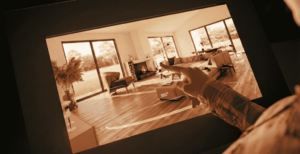
Most people don’t actually struggle with architecture itself. What they struggle with is imagining it. A floor plan can be accurate and still feel useless if you don’t know how to read one. Renders can look impressive but also misleading, because everything appears brighter, wider, and more polished than it usually feels in real life. And photographs, no matter how well shot, only show what the photographer decided to point the camera at.
What usually gets lost is the experience of moving through a building. How you enter. Where your eye naturally goes. Whether a space feels comfortable or awkward. These are things you only understand when you are physically present — or at least, that used to be the case.
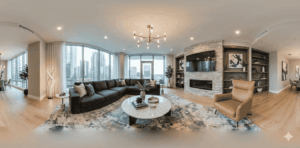
Virtual architecture tours using 360° images came in to fill that gap. Not to replace site visits completely, but to reduce guesswork and help people see spaces as they actually exist. A 360° tour doesn’t try to impress you. It simply puts you inside the building and lets you look around.
What a Virtual Architecture Tour Really Is
At its core, a virtual architecture tour is just a connected series of real panoramic images. Nothing animated. Nothing imagined. The images are taken inside and around a completed or ongoing building and then linked so that you can move through the space digitally.
You’re not watching someone else walk. You’re deciding where to look and where to go.
That small difference matters more than people realize. When viewers control the experience, they slow down. They spend time in corners they’re curious about. They revisit rooms. They notice proportions instead of being rushed past them. This is why these tours are used not only for presentations, but also for review, documentation, and internal discussions.
Why Traditional Architecture Presentations Often Fall Short
Architects are trained to understand drawings. Clients usually are not. That mismatch creates problems.
A client might nod during a presentation but still feel unsure afterward. They may not fully understand how rooms connect or how large something feels until they see it in person. By then, changes are expensive or impossible.
Virtual tours help reduce that risk. They don’t require explanation. A person can simply explore and form their own understanding. Questions that come afterward are usually more practical and specific, because they’re based on what the person actually saw.
Instead of asking, “Will this space feel cramped?” they ask, “Can we widen this passage slightly?” That difference saves time for everyone.
What People Notice When They Use a 360° Architecture Tour
Interestingly, viewers don’t focus on design theory. They focus on everyday things.
They notice:
- How natural light enters the room
- Whether circulation feels smooth or forced
- How close or far spaces feel from each other
- Where they might pause or move quickly
These are the same things people notice during a real visit. That’s why feedback from virtual tours tends to feel grounded, not speculative.
Which Spaces Are Usually Included
A virtual architecture tour doesn’t need to show everything. Showing too much can actually dilute the experience.
Most tours focus on:
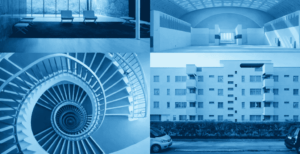
- The approach to the building
- Entry points and transitions
- Primary rooms or functional areas
- Corridors, stairs, and movement paths
- Key interior zones that define the design
Service areas, storage rooms, or unfinished sections are often skipped unless they serve a clear purpose. The idea is not completeness. It’s clarity.
How These Tours Are Put Together
The process is simpler than people expect, but it requires thought. First, there’s planning. Someone needs to decide what the viewer should understand by the end of the tour. That decision shapes everything else.
Then the images are captured. Usually at eye level, with consistent spacing. The camera placement matters more than the equipment itself. Poor placement can make a good space feel awkward.
Once the images are ready, they’re connected in a way that mirrors how a person would naturally move. Jumping randomly between rooms breaks immersion. Smooth transitions maintain it.
Sometimes labels are added. Sometimes not. When they are, they’re kept short. The space should speak for itself. Finally, the tour is tested — not just technically, but from a user’s perspective. If something feels confusing, it’s adjusted.
How Architects and Designers Actually Use These Tours
In practice, virtual architecture tours are rarely used as standalone showcases. They’re used alongside conversations.
Architects use them to:
- Walk clients through a building remotely
- Review completed projects internally
- Explain design decisions without long explanations
- Document work for future reference
Interior designers often use them to show how furniture placement and finishes interact with space. Developers use them to reduce unnecessary site visits. In education, students use them to study real buildings without traveling.
What These Tours Are Good At — and What They’re Not
Virtual architecture tours are excellent at showing space. They are not good at replacing physical experience.
You still can’t feel materials. You can’t hear how sound behaves. You can’t sense temperature or smell. And the tour only shows the building as it was on the day it was captured.
But as a visual tool, they do their job extremely well. They replace assumptions with observation.
Who Benefits Most From Virtual Architecture Tours
Anyone involved in decision-making benefits. That includes:
- Clients
- Architects
- Interior designers
- Consultants
- Review committees
- Students
If understanding space matters, these tours help.
Virtual architecture tours don’t try to explain buildings. They let buildings explain themselves.
They reduce misunderstandings, shorten conversations, and make feedback more grounded. They don’t promise perfection. They simply show reality — quietly, clearly, and without forcing interpretation. In a field where so much depends on understanding space, that kind of honesty is valuable.