

How to Create a 360 VR Tour Online for Free
Today, people prefer to check out a place online before stepping inside. Whether it’s a property, hotel, office, or showroom, 360° VR tours let them explore every corner from anywhere. You don’t need to be a tech expert anymore—creating a 360° VR tour online is now free and simple.
This guide explains the process in a simple, beginner-friendly way.
What Is a 360 VR Tour?
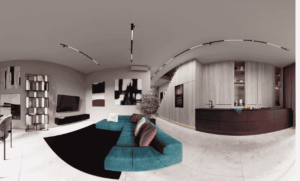
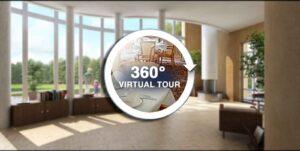
A 360° VR tour is an interactive virtual experience made using panoramic photos or videos. Users can look around freely and navigate different areas, experiencing the space almost like a real visit.
Why Create a 360 VR Tour?
360 VR tours offer many benefits:
- Make it easy for users to understand the space in detail
- Keep visitors more engaged than static photos
- Save valuable time for both visitors and property owners
- Create trust by offering a transparent view of the space
- Work smoothly across mobile, desktop, and VR devices
Because of these benefits, 360° virtual tours are now commonly used across real estate, hospitality, education, retail, and corporate spaces.
What You Need to Create a Free 360 VR Tour Online
To get started, you only need a few basic things:
- 360-degree images or videos
- Internet connection
- An online virtual tour creator (free version)
- Basic planning of rooms or areas
No coding or advanced technical knowledge is required.
Step-by-Step: How to Create a 360 VR Tour Online for Free

Step 1: Capture 360-Degree Images
For the best outcome, photograph your space in panoramic view with good lighting, steady positioning, and neat surroundings.
Step 2: Upload Your 360 Images Online
Upload your panoramic images to a free virtual tour platform and check how they appear in a full 360 view.
Step 3: Connect Rooms and Areas
By connecting each 360 image, users can move naturally from one space to another, just like a real walk-through.
Step 4: Add Interactive Elements
Enhance your tour with:
- Navigation hotspots
- Text labels or room names
- Information points
- Direction arrows
These features make the tour easier to explore and more engaging.
Step 5: Preview and Publish
After final review, publish your tour online and get a link you can easily share anywhere.
Best Practices for Free 360 VR Tours
- Use sharp, high-quality images for the best visual experience
- Keep navigation easy and user-friendly
- Don’t overload the tour with too many hotspots
- Make sure the tour loads quickly on mobile devices
- Always test the tour before sharing it
Following these practices improves user experience and engagement.
Who Can Use Free 360 VR Tours?

Free 360 VR tours are useful for:
- Real estate listings
- Rental properties
- Hotels and resorts
- Educational institutions
- Offices and corporate spaces
- Retail stores and showrooms
They help users explore spaces remotely and make informed decisions.
Building a 360 VR tour online at no cost is a practical move for better digital presentation. Even with basic equipment, you can create immersive virtual experiences that stand out and build trust.
With the growing demand for virtual tours, 360° VR walkthroughs is quickly becoming a key part of online marketing and digital engagement.