
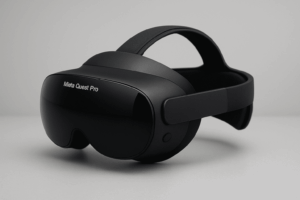
Meta Quest Pro
I’ll say this upfront: I didn’t like the Meta Quest Pro the first time I tried it. It felt expensive for what it was. Not fun in the usual VR way. Not exciting either. Honestly, I kept thinking, “Do I really need this?”
But after some time, I understood what it was trying to do. Once you get that, it stops feeling pointless. Even during a messy workday with constant notifications, I found myself using it longer than I expected. This headset is not built to entertain you. It’s built to sit on your head while you do actual work.
Top 10 Ways to Use Meta Quest Pro in Real Life
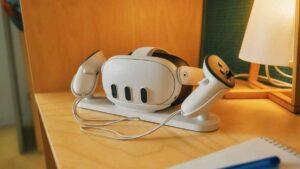
1. Using It Like a Floating Desk
Some people literally replace their monitors with this thing. Not everyone. Not most people.
But those who do place screens around them and just work—mail on one side, documents in front, a call window floating somewhere else. You’re still in your room, which helps. I even spilled a cup of coffee nearby once and didn’t have to remove the headset. You don’t feel lost.
2. Meetings Where You Can Tell Who’s Present
Normal VR meetings feel fake. Quest Pro improves that, but it doesn’t fix it completely.
Eye movement helps. Facial expressions help. You can tell who’s engaged and who isn’t. That matters more than it sounds. Sometimes it still glitches mid-call, but it’s minor.
3. Looking at Designs Before They Become Mistakes
Designs lie on flat screens. Scale always looks fine until it isn’t.
Quest Pro shows problems early. Chairs feel too big. Rooms feel wrong. People notice things they wouldn’t normally say out loud. That saves time and money. I actually laughed when a colleague pointed out how tiny the virtual keyboard looked—stuff you wouldn’t catch otherwise.
4. Training Without Stress
Nobody wants to learn complex tasks while worrying about breaking something.
VR removes that pressure. Repeat the process. Mess up. Try again. That’s it. No motivational talk needed. Occasionally, the hand tracking misses, but it’s a small price to pay.
5. Gaming, But Not the Reason to Buy It
Comfort and clarity matter more here than excitement. Long sessions. Less pressure on the face. Slight awareness of the real world—that’s the trade-off. I tried a short game just to test it, and it felt surprisingly smooth.
Yes, it plays games well, but that’s not why people buy it.
6. Blocking the World on Purpose
Some users wear the Quest Pro just to focus.
No phone. No random noise. Just one thing in front of you. Sounds extreme, but it works for certain personalities. I even left notifications on accidentally, and still didn’t notice them.
7. Building Things, Not Just Viewing Them
Creators use it to test ideas quickly.
It doesn’t always feel smooth. Sometimes hand tracking fails. Sometimes it doesn’t. But when it works, it feels closer to how hands want to work, not how software forces them to. On my first try, I kept trying to grab things that weren’t responding—felt real human frustration.
8. Watching How People Actually React
Researchers usually care about small, unexciting details—like where someone’s eyes go, how long they stop on something, or what they don’t pay attention to at all. Quest Pro quietly collects this kind of information, and for anyone studying behavior, that matters a lot. I caught myself reacting differently once I knew it was tracking me. I became more aware of what I was doing, almost without meaning to. It was a little uncomfortable at first, but also pretty interesting to notice how my behavior shifted..
9. Learning for Adults, Not Classrooms
This isn’t for school kids. It’s for professionals learning complicated things where seeing and doing matter more than reading slides. I tried it with a coworker, and he got stuck at first, which reminded me that VR isn’t always instantly intuitive.
10. Wearing It Longer Than Expected
This surprised me. You don’t feel trapped. The open sides help. The balance helps. After a while, you stop thinking about the headset, which is rare in VR. On my second day, I wore it for almost three hours straight without discomfort, which I didn’t expect.
What I’d Tell Someone Honestly
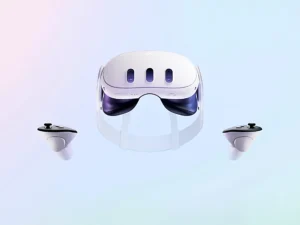
Meta Quest Pro is awkward to explain. It’s not impressive in five minutes. It doesn’t show its value in a quick demo. But if someone wants VR as a tool, not a toy, this headset finally makes sense. Would I recommend it to everyone? No. To the right person? Yes.