
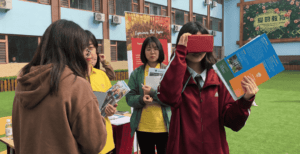
A campus is more than just buildings. It has classrooms where students spend hours, corridors full of movement, open grounds, libraries, labs, and small details that brochures usually miss. Explaining all this through photos or text is never enough. People want to see the place properly.
This is where 360° campus tours help. With a virtual campus tour, people can walk around the campus online using real images. They decide where to go and what to see, and still get a clear idea of the place without visiting.
Colleges and schools usually use this for admissions, student orientation, parents, and basic campus introductions.
What Is a 360° Campus Tour?
Instead of seeing a few selected photos, you actually get to move around the campus online. You can look in every direction and go from one place to another on your own.
Nothing is fixed. If you want to stay longer in one area, you can. If you want to skip something, you can do that too. It feels more like walking around than watching.
These tours are commonly created for:
- Schools
- Colleges
- Universities
- Training institutes
- Coaching centers
Why Schools and Colleges Use Virtual Campus Tours
Many campus visits happen only so students or parents can understand the environment. Virtual tours reduce the need for repeated visits and long explanations.
Institutions prefer them because:
- Students may live far away
- Parents may not have time to visit
- Campuses are large and confusing at first
- Admission teams answer the same questions daily
- First impressions matter a lot
A virtual tour shows the campus clearly, the same way, every time.
What Areas of a Campus Can Be Shown?
Almost every important area of a campus can be included, depending on what the institution wants to highlight.
Commonly shown areas include:
- Main gate and entrance
- Reception and office areas
- Classrooms and lecture halls
- Science and computer labs
- Library and reading rooms
- Seminar halls and auditoriums
- Sports grounds and activity areas
- Cafeteria and student zones
- Hostels or residential buildings
Private or restricted spaces can be left out if needed.

How a 360° Campus Tour Is Created
Step 1: Understanding the Campus
Before any images are taken, the campus is understood properly.
This helps decide:
- Which areas should be shown
- The order of movement
- What visitors usually want to see
This planning step keeps the tour clear and avoids unnecessary confusion later.
Step 2: Capturing 360° Images
360° images are captured at selected locations across the campus.
Care is taken to:
- Keep the camera steady
- Use proper lighting
- Maintain a natural height
- Avoid crowds or distractions
The focus is on showing the campus honestly, not making it look staged.
Step 3: Connecting the Spaces
Once the images are ready, they are linked together to form a smooth walkthrough.
This includes:
- Easy movement between buildings
- Clear navigation points
- Logical flow from one area to the next
The goal is to make users feel like they are actually walking through the campus.
Step 4: Adding Simple Information (If Needed)
Short text labels or notes may be added where helpful.
For example:
- Classroom or lab names
- Department details
- Basic facility descriptions
The information is kept short so it does not distract from the visuals.
Step 5: Reviewing the Tour
Before sharing the tour, it is tested properly.
Things checked include:
- Smooth navigation
- Correct order of areas
- Clear images
- Proper loading on mobile and desktop devices
If something feels confusing, it is corrected.
Step 6: Sharing and Using the Tour
Once completed, the tour can be shared easily through a link.
It is commonly used for:
- Admission inquiries
- Parent counseling
- Student orientation
- Website display
- Online presentations
It becomes a simple tool that answers many questions at once.
Benefits of 360° Campus Tours
Virtual campus tours offer practical benefits, not just visual appeal.
Some key advantages are:
- Better understanding of the campus layout
- Fewer physical visits required
- Time savings for staff and parents
- Stronger trust and transparency
- Clear communication for remote students
They help people feel more confident before making decisions.

Limitations to Keep in Mind
Virtual tours are helpful, but they have limits.
- They cannot replace the real campus experience
- They show the campus at a specific time
- Major changes need updated images
- Live interaction is not possible
They work best as a supporting tool, not a replacement.
Who Uses 360° Campus Tours?
These tours are useful for:
- Students and parents
- Admission teams
- School and college management
- Marketing and outreach teams
- International applicants
Anyone trying to understand a campus remotely benefits from them.

360° campus tours make it easier to understand educational spaces without long explanations. They allow people to explore freely and see the campus as it really is.
A well-planned virtual tour makes things easier to understand and removes confusion. Since most communication is already happening online, these campus tours are now being used as a regular tool, not just as an add-on.