
Most people don’t avoid offices because they dislike workspaces. Usually, the reason is simpler. Offices are difficult to understand from the outside. Websites show polished photos. Recruitment pages talk about culture. But none of that explains what a place actually feels like once you step inside.
An office is not just desks and chairs. It is movement, spacing, noise levels, light, and how people are placed next to each other. These things affect daily work far more than slogans about teamwork or innovation. Yet, they are rarely visible before someone joins, visits, or signs a contract.
This gap is where virtual office and 360° workplace tours quietly fit in. Not as a replacement for being there, and not as a dramatic experience, but as a way to see what already exists without interpretation or pressure. A virtual tour does not convince. It shows.
What a Virtual Office Tour Actually Is
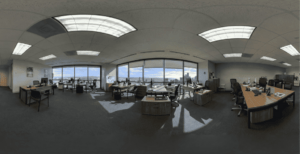
At its core, a virtual office tour is a series of real panoramic images taken inside a workplace. Each image captures a full view from a fixed position. These positions are then connected so a viewer can move from one area to another.
There is no simulation involved. No recreated layouts. No imagined spaces. What appears in the tour is exactly what was present when the images were captured. If the office is spacious, it looks spacious. If it is tight or cluttered, that is visible too.
Unlike videos, nothing moves unless the viewer chooses to move. The experience stays still until someone interacts with it. That simple control changes how people look at workplaces. They stop rushing. They inspect. They notice details that would usually be ignored.
Why Office Photos Often Fail to Explain Workspaces
Most corporate websites rely on selected photographs. These images are usually clean, wide, and carefully framed. While they look professional, they remove context.
A single photo cannot explain how rooms connect. It does not show what sits behind the camera. It hides what is just outside the frame. A meeting room may look impressive, but the surrounding noise, spacing, or traffic is unknown.
Offices function as systems, not as isolated visuals. A 360° tour restores that system view. Instead of highlights, it shows relationships between areas. Desks appear next to walkways.
Meeting rooms appear near workstations. Reception areas connect naturally to the rest of the space. This context helps viewers understand how the office actually works, not just how it is presented.
What People Pay Attention To in a Virtual Workplace Tour
Interestingly, most viewers do not focus on branding or design themes. They notice practical things.
They look at:
- How close desks are to each other
- Whether there is natural light
- How much walking space exists
- Where meeting rooms are placed
- Whether areas feel quiet or busy
- How open or closed the layout is
These observations are rarely written down, but they influence decisions. A candidate imagines daily work. A client assesses professionalism. A partner gauges scale and structure. None of this requires explanation. The space itself communicates it.
360° Workplace Tours in Recruitment and Hiring
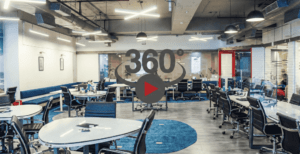
Job descriptions often talk about flexibility, collaboration, and culture. Office tours show how those ideas are supported physically.
A virtual tour allows candidates to see:
- Whether teams sit together or separately
- How formal or relaxed the environment feels
- How much personal space exists
- Whether the office looks calm or crowded
This does not answer emotional questions, but it answers practical ones. Many candidates decide whether to apply or continue purely based on this clarity. When expectations are set early, mismatches reduce later.
People who join after seeing the real workspace are less likely to feel surprised or misled.
Corporate Communication Without Explanation
Companies often talk about transparency. A 360° workplace tour supports that idea without using words.
Instead of claiming openness, the company simply shows its space. Boardrooms, workstations, cafeterias, training rooms, and common areas appear exactly as they are. There is no narration pushing meaning. The viewer decides what they think.
For global companies, this matters even more. Stakeholders, employees, or investors may never visit every location. A virtual tour allows consistent visibility across distances without arranging physical visits.
Corporate Facilities Beyond Offices
Virtual workplace tours are not limited to desk-based environments. Many companies use them to show operational facilities that are not easily accessible.
These include:
- Manufacturing units
- Warehouses
- Data centers
- R&D labs
- Training facilities
- Corporate campuses
- Client-facing locations
Some of these spaces are restricted. Some are sensitive. Some are simply impractical to visit frequently. A virtual tour allows controlled access without disruption.
For audits, onboarding, compliance, and client assurance, this kind of visibility reduces friction and saves time.
How 360° Image Tours Differ from Videos
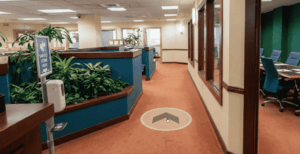
Videos guide viewers along a fixed path. The creator decides what is shown and for how long. In contrast, 360° tours give control to the viewer.
Someone can pause, look around, zoom in, or skip areas entirely. This matters in professional settings where people want to inspect, not be entertained.
Videos are faster. 360° tours are slower. But slower viewing often leads to better understanding. Viewers absorb space rather than consume content.
Accuracy Matters More Than Style
Virtual office tours are not about cinematic presentation. They work best when they are plain.
Lighting is usually neutral. Angles are practical. Spaces are shown as they exist. Over-styling creates doubt. Clean but realistic visuals build trust.
A well-maintained office does not need dramatic effects to look professional. A poorly maintained space cannot hide in a 360° view. That honesty is the value.
Internal Uses of Virtual Workplace Tours
Many companies use these tours internally rather than publicly.
Common internal uses include:
- New employee orientation
- Remote onboarding
- Space planning
- Facility management
- Safety training
- Emergency preparedness
Employees understand layouts before arriving. Safety teams identify exits and routes. Managers plan changes without physically visiting every floor. The tour becomes a reference tool, not a showcase.
Maintenance and Reality
A virtual office tour reflects a specific moment in time. If layouts change, branding updates, or furniture moves, the tour must be updated.
An outdated tour creates confusion and damages trust. This is especially important for growing companies where spaces evolve quickly. Accuracy matters more than permanence.
Who These Tours Are Actually For
Virtual office and workplace tours are useful for people who want clarity without commitment.
That includes:
- Job candidates
- Clients
- Partners
- Remote employees
- Facility planners
- Investors
Anyone who benefits from seeing before deciding gains value from this format.
Virtual office and 360° workplace tours do not try to sell ambition or culture through words. They do not replace physical visits. They do not promise experience.
They simply show space. In corporate environments, that is often enough. When people can look calmly, without pressure or presentation, they form their own understanding. That understanding is more reliable than any claim.
The purpose of virtual workplace tours is not to impress. It is to clarify.